User Profile
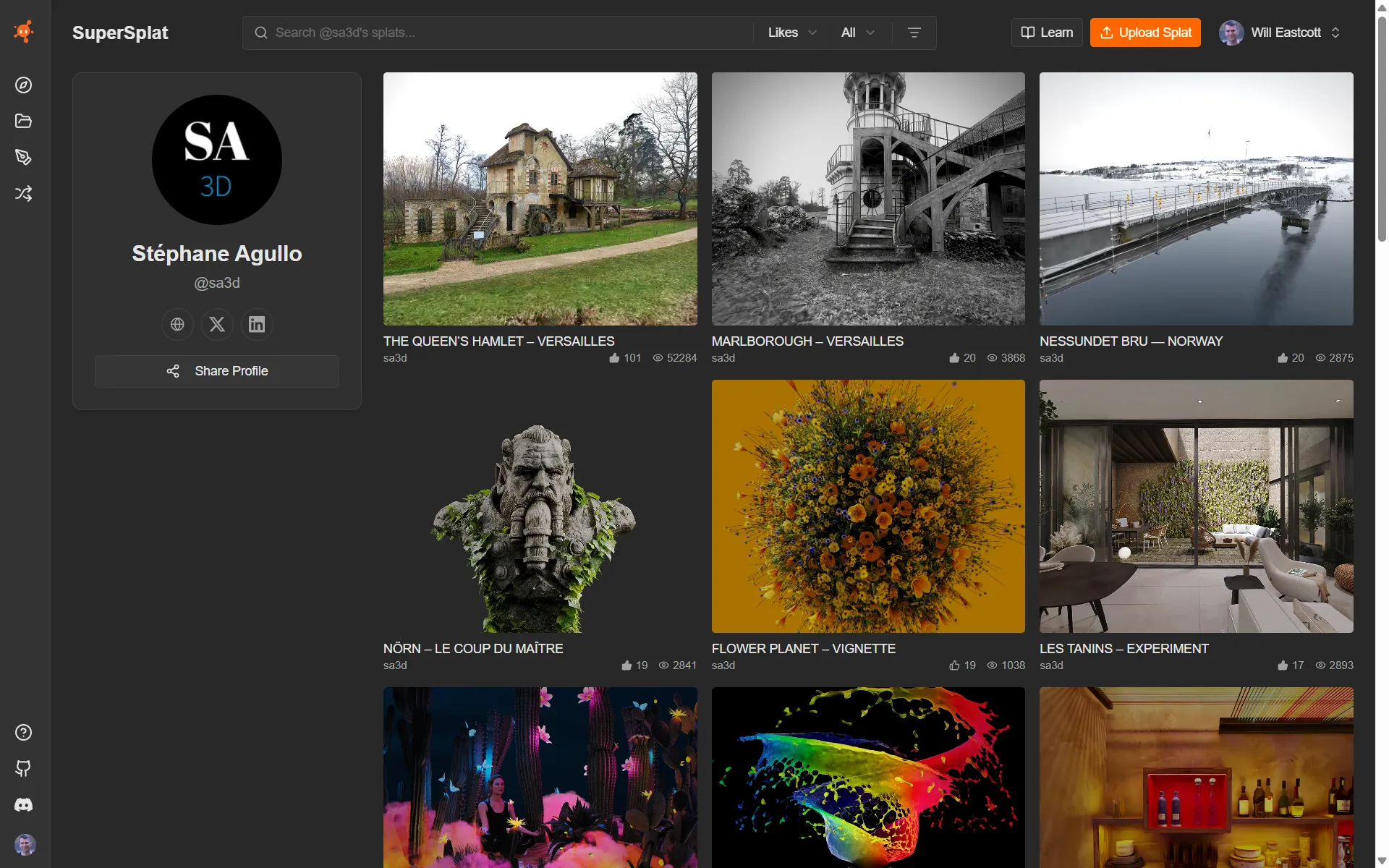
Each creator on SuperSplat gets a public profile at https://superspl.at/user/<username>. The profile shows their avatar, display name, bio, any social links they've added, their follower and following counts, and a grid of every Public splat they've published.
Profiles are linked from the author chip that appears on every scene page and on every card in the Explore grid — clicking the author's name navigates to their profile.
Browsing a profile is anonymous; no PlayCanvas account is required.
What's shown
| Section | What it contains |
|---|---|
| Avatar and display name | The creator's PlayCanvas account avatar and chosen display name. |
| Bio | A short profile description the creator has written about themselves. |
| Social links | Links to any external profiles the creator has added (X, LinkedIn, personal site, etc.). |
| Followers and following | How many people follow the creator and how many they follow. Click either number to see who. |
| Follow | Follow the creator to see their splats in your Following feed. |
| Splat grid | Every Public splat the creator has published, using the same card UI as Explore. Click any card to open its scene page. |
Unlisted splats are not shown on the public profile — only the creator can see those, via the Manage page.
Your own profile
On your own profile you'll also find:
- Everyone you follow. Click your following count to see the list and unfollow anyone you like.
- A Likes tab with every splat you've liked. Only you can see it.
See also
- Following Creators — follow creators and see their splats in one feed
- Explore — discover splats across the whole platform
- Scene page — open one specific splat
- Account Creation — set up your own profile